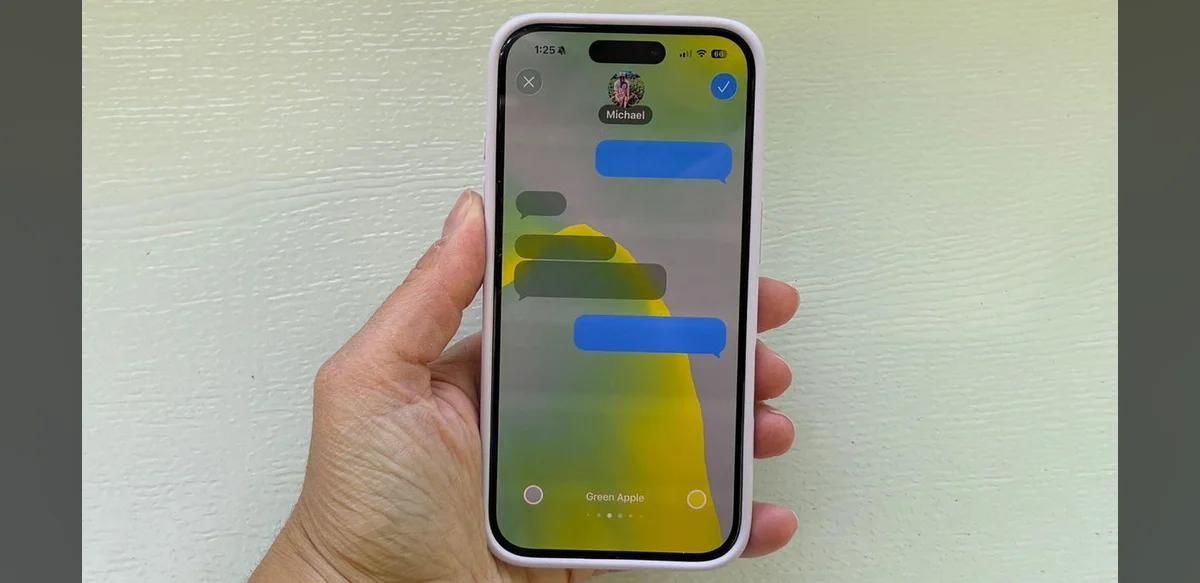
Mobile messaging customization has long been a point of difference between major smartphone platforms. Android devices have offered users the ability to alter message wallpapers for years through straightforward settings. In contrast, iOS has traditionally provided fewer options in this area. With the arrival of iOS 26, Apple has introduced a method for changing backgrounds in the Messages app, though it comes with a specific restriction that users should understand before making changes.
The new capability allows iPhone owners to select custom images or colors for their conversation views. This brings the platform closer to the flexibility long available on competing systems. To activate the feature, individuals open the Messages application, access conversation details, and choose from available background options. The steps are designed to be intuitive for those familiar with iOS navigation.
Despite the added functionality, the catch involves how the selected background applies across conversations. Once set, the change affects the entire Messages interface rather than remaining limited to a single thread. This broader application means users cannot easily maintain different styles for personal and professional chats without resetting the option repeatedly.
Many observers note that this approach maintains consistency within the app but reduces the granular control some expect. Android users, by comparison, can often assign unique wallpapers to individual contacts or groups. The iOS implementation prioritizes a unified look, which may appeal to those who prefer simplicity over variety.
Testing the feature reveals that both static images and solid colors are supported. Users can import photos from their library or select from system-provided choices. Performance remains stable even with high-resolution images, though very large files may slightly increase loading times during app startup.
Feedback from early adopters has been mixed. Some appreciate the visual refresh and the way it personalizes daily interactions. Others express disappointment that the change cannot be isolated to specific conversations. This limitation appears intentional, reflecting Apple’s design philosophy of maintaining a cohesive user experience.
Developers have suggested that future updates could refine the option further. Potential improvements might include per-conversation settings or additional customization tools. For now, the current implementation represents a step forward while preserving core interface principles.
Comparisons with previous iOS versions highlight the evolution. Earlier releases offered no background alteration at all, forcing users to accept default appearances. The addition in iOS 26 addresses a common request from the community, even if the execution includes compromises.
Overall, the feature provides a viable way for iPhone users to refresh their messaging environment. Those considering the change should weigh the benefit of personalization against the requirement that it applies universally. As mobile platforms continue to converge in capabilities, such adjustments illustrate ongoing efforts to meet user expectations while adhering to established design standards.
Additional guidance recommends backing up current settings before experimenting. This precaution ensures easy restoration if the new background proves unsatisfactory. Support documentation from Apple outlines the process clearly, including troubleshooting steps for common issues like image compatibility.
In summary, iOS 26 delivers background customization for Messages with the noted constraint. The update narrows the gap with Android but retains a distinct approach suited to the platform’s ecosystem. Users seeking more detailed control may continue exploring third-party applications, though native integration offers the most seamless experience.